
At Mirame360, we understand that capturing the perfect 360° shot is only half the battle. Real-world lighting conditions aren't always ideal, and sometimes the raw footage straight out of your 360 camera lacks the vibrant punch and cinematic feel you initially envisioned. Historically, fixing flat colors or recovering dark shadows in immersive media meant dealing with a tedious and time-consuming workflow. You had to download massive 4K files, import them into complex external software, wait hours for rendering, and finally re-upload them to the web. We wanted to eliminate that friction entirely. Today, we are incredibly excited to introduce Built-In Color Grading for both photos and videos—right here on Mirame360.
Professional Adjustments, No External Software Required You can now enhance your panoramas and 360° videos directly from your browser. Whether you need to boost the saturation to make a landscape pop, adjust the contrast and exposure for a real estate virtual tour, or fine-tune the white balance, our intuitive new editor puts creative control right at your fingertips. There is no longer any need to launch expensive, heavy third-party editing suites. How it Works (And What to Expect) To use the new feature, navigate to your media dashboard and open the editor for any of your uploads. You will find a suite of easy-to-use sliders to dial in your perfect look. Because 360° media files are massive and highly complex, applying these adjustments permanently isn't just a simple surface-level filter. To ensure crystal-clear playback on all headsets and devices, our servers must physically re-encode the video or photo with your new color settings baked directly into the file.
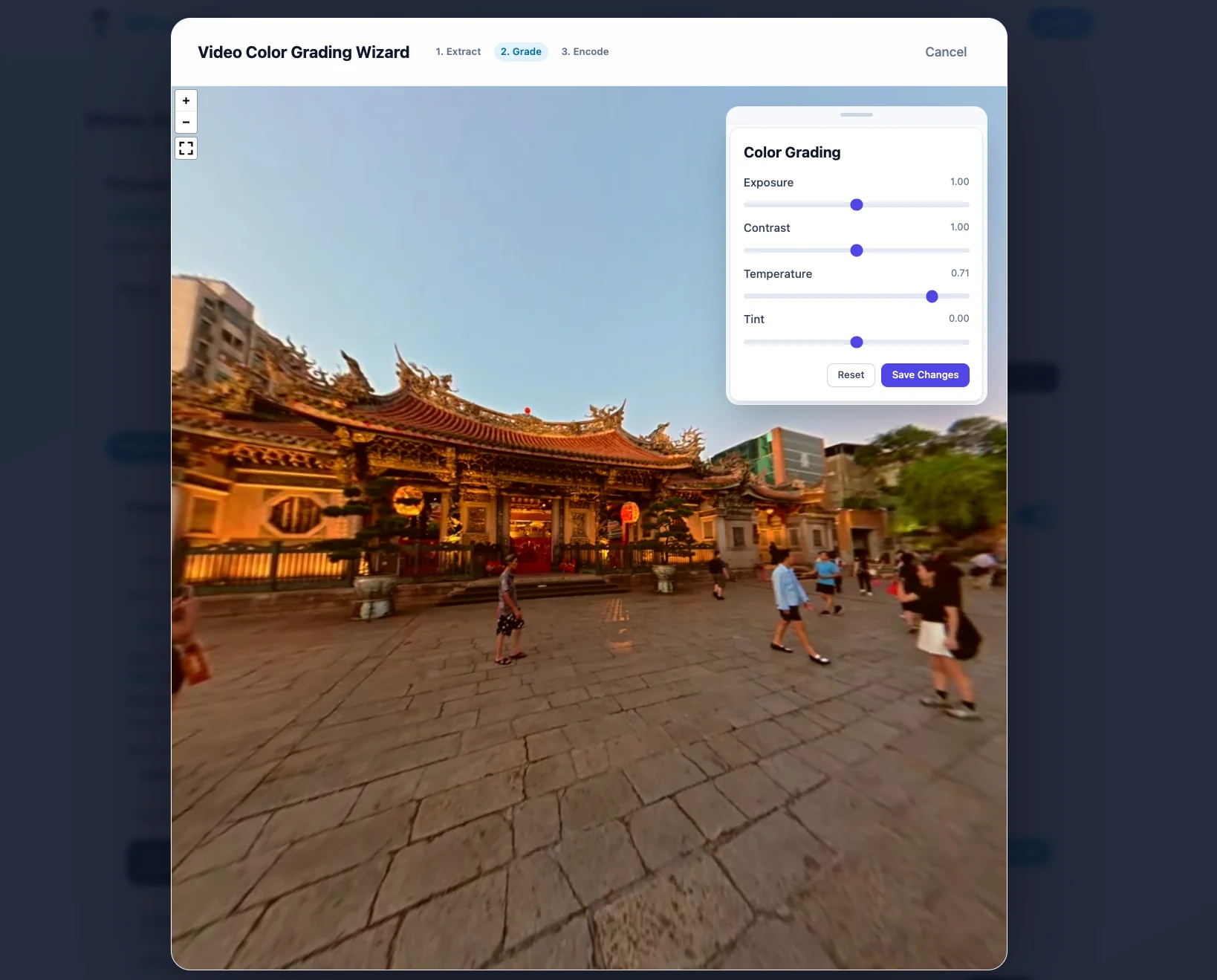
What does this mean for you? While you get a live preview while adjusting the sliders, the final result is not immediate. Once you click "Apply," your media will enter a processing queue to be fully re-encoded. You can safely close the page and continue with your day while our backend handles the heavy lifting. Once it's done, your enhanced media will automatically replace the old version. We are thrilled to bring this massive workflow improvement to our platform. Head over to your dashboard today and give your 360° content the cinematic finish it deserves!