
consumer 360
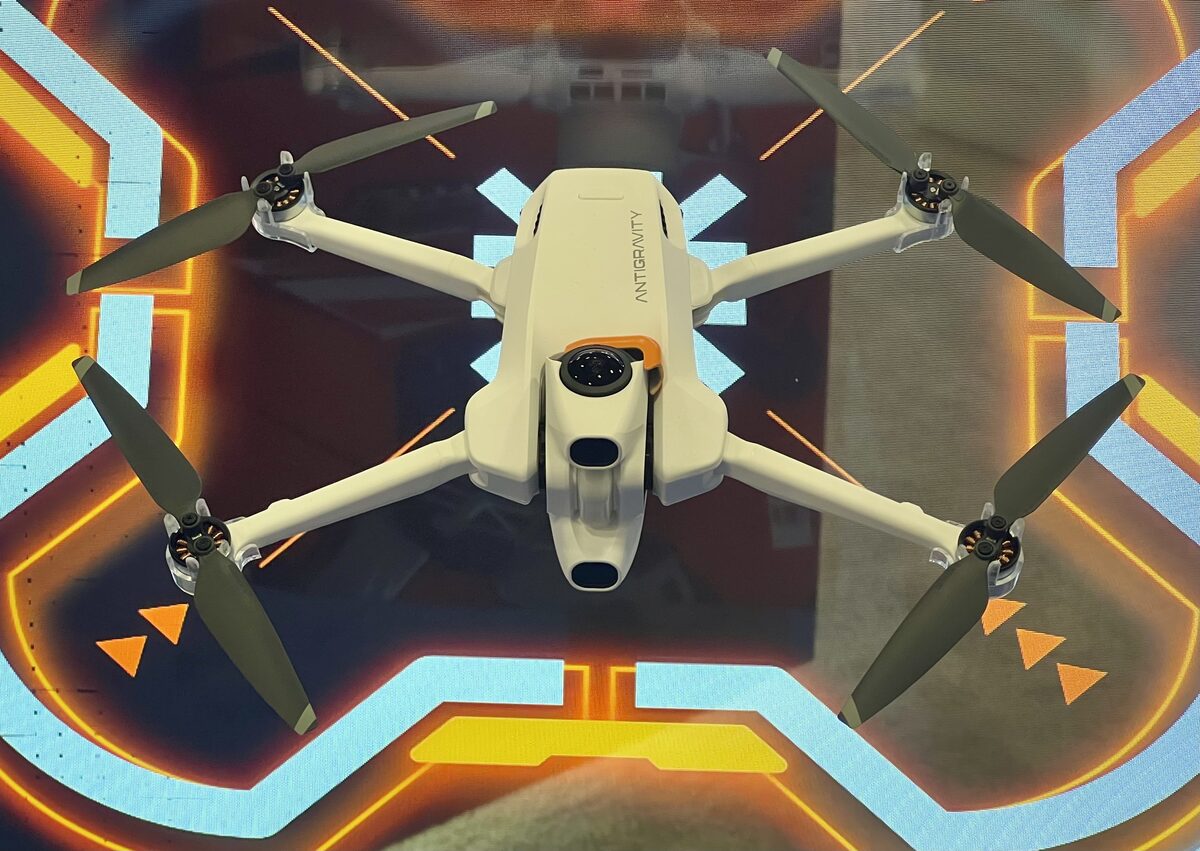
Antigravity A1
A1 records INSV, INSP, DNG according to the linked manufacturer documentation. Its native files should be opened in Antigravity app and Studio, then stitched or exported to an equirectangular delivery file before upload.
Technical record
| Manufacturer | Antigravity |
|---|---|
| Product status | Current |
| Release year | 2025 |
| Original formats | INSV, INSP, DNG |
| Companion files | Keep the original INSV video and INSP photo files together with any associated files and original filenames until the export is verified. The exact companion-file requirements for every recording mode have not been verified. |
Manufacturer data
Technical specifications
- Max video resolution
- 7680x3840
- Top frame rate
- 100 fps
- Video container
- INSV
- Video codec
- H.264, H.265
- Audio
- Drone audio not recorded (review)
- Max photo
- 55 MP
- Photo formats
- INSP, DNG
- Sensor
- 1/1.28-inch · 2 sensors
- Display
- Optional Vision Goggles: two 1.03-inch Micro-OLED displays; accessory not included in Follow Me
- Microphones
- Drone not specified; accessories have microphones
- Spatial audio
- Not provided
- Weight
- 249 g
- Battery
- 2360 mAh
Weight and battery above describe the standard flight battery. With the high-capacity battery, the manufacturer lists 291 g and 4,345 mAh; the Follow Me configuration with guards is 351 g. Accessory screens are identified separately.
Video modes
- 7680x3840 · 24, 25, 30 fps
- 5248x2624 · 24, 25, 30, 50, 60 fps
- 3840x1920 · 100 fps
Photo modes
- 10496x5248 · 55 MP · INSP
- 5248x2624 · 14 MP · INSP
Native formats
INSV, INSP, DNG
Workflow
FlowState stabilization in Antigravity Studio · Live view is stitched; process INSV footage in the app or Studio for export.
Evidence and sources
360 video and file formats
A1 records 360 video as INSV and photos as INSP, with DNG also available. 360 modes include 7680x3840 at up to 30 fps and 5248x2624 at up to 60 fps.
manufacturer-declared · verified 2026-10-28 · Source
Camera
Two 1/1.28-inch sensors and f/2.2 lenses; maximum declared video bitrate is 170 Mbps.
manufacturer-declared · verified 2026-10-28 · Source
Follow Me configuration
With the high-capacity battery and full-coverage propeller guards the manufacturer lists 351 g, EU C1 and up to 23 minutes flight time in a controlled test with video recording disabled.
manufacturer-declared · verified 2026-10-28 · Source
Control options
The Follow Me bundle uses a Watch Remote and Ring Remote; it is distinct from the Vision Goggles and Grip controller configuration.
manufacturer-declared · verified 2026-10-28 · Source
Weight and batteries
Standard battery: 249 g and 2,360 mAh; high-capacity battery: 291 g and 4,345 mAh, without full-coverage Follow Me guards. The EU class depends on the certified configuration.
manufacturer-declared · verified 2026-10-28 · Source
Flight time and storage
Manufacturer rates up to 24 minutes with the standard battery or 39 with the high-capacity battery in controlled conditions with video recording off. 20 GB internal storage; microSD up to 1 TB.
manufacturer-declared · verified 2026-10-28 · Source
Dimensions and accessories
Folded: 141.3 x 96.2 x 81.4 mm; unfolded: 308.6 x 382.3 x 89.2 mm. Optional Vision Goggles have two 1.03-inch Micro-OLED displays at 2560x2560 each; these are not included in the Follow Me bundle.
manufacturer-declared · verified 2026-10-28 · Source
Audio recording
A hands-on review reports that the A1 aircraft does not record audio. Vision Goggles can separately record the pilot and surroundings during screen recording; the Watch Remote also has a microphone. Neither establishes audio in the drone's original 360 video.
community-reported · verified 2026-10-28 · Source
Watch Remote microphone
The manufacturer lists a microphone for the Watch Remote accessory. The Follow Me Watch Remote is separate from the aircraft, and this specification does not confirm audio capture in the drone video.
manufacturer-declared · verified 2026-10-28 · Source
Stabilization and stitching
Antigravity Studio offers FlowState stabilization and AI, optical-flow and dynamic stitching options for recorded footage. The live goggles view is stitched in real time; the INSV original should be processed in the app or Studio before a full-sphere export.
manufacturer-declared · verified 2026-10-28 · Source
Documented workflow
Transfer the originals to the Antigravity app or Antigravity Studio. Choose a full-sphere 360 export for interactive viewing; a reframed flat clip is a different output. Inspect the exported file and try a short upload before processing a full flight.
Official resources
Community and discussion
- Rodrigo Polo: A1 footage analysis (linked sample availability unverified) (community lead, not definitive evidence)
Independent video reviews
No selected review currently meets the registry’s evidence requirements. Reviews are not treated as definitive specifications or licensing evidence.