
consumer 360
DJI Osmo 360
Osmo 360 records OSV, MP4 according to the linked manufacturer documentation. Its native files should be opened in DJI Mimo or DJI Studio, then stitched or exported to an equirectangular delivery file before upload.
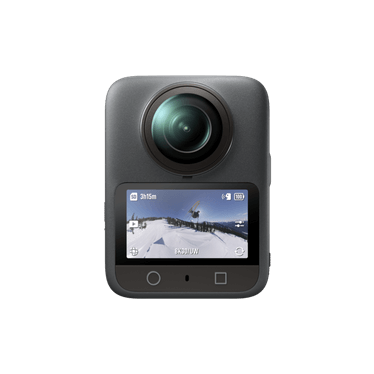
Technical record
| Manufacturer | DJI |
|---|---|
| Product status | Current |
| Release year | 2025 |
| Original formats | OSV, MP4 |
| Companion files | OSV panoramic originals and flat MP4 recordings are distinct workflows; confirm sidecar requirements in the support manual. |
Manufacturer data
Technical specifications
- Max video resolution
- 7680x3840
- Top frame rate
- 100 fps
- Video container
- OSV/MP4
- Video codec
- HEVC
- Audio
- AAC
- Max photo
- 120 MP
- Photo formats
- JPEG
- Sensor
- 1/1.1-inch · 2 sensors
- Display
- 2.0-inch touchscreen (314x556)
- Microphones
- 4
- Spatial audio
- Not provided
- Weight
- 183 g
- Battery
- 1950 mAh
Video modes
- 7680x3840 · 24, 25, 30, 48, 50 fps
- 6000x3000 · 24, 25, 30, 48, 50, 60 fps
- 3840x1920 · 100 fps
Photo modes
- 15520x7760 · 120 MP · JPEG
- 6400x4800 · 30.72 MP · JPEG (single-lens)
Native formats
OSV, MP4
Workflow
RockSteady 3.0; HorizonSteady · In-camera stitching: yes
Evidence and sources
Documented workflow
DJI support documents transfer with DJI Mimo and desktop editing with DJI Studio, Premiere Pro or DaVinci Resolve.
Official resources
Community and discussion
- DJI Osmo 360 subreddit (community lead, not definitive evidence)
Independent video reviews
- Real World Test & Review - Adventure with the DJI Osmo 360 — Jack Anstey, 2026-02-03. A creator-led field review that discusses real-world shooting, file size and post-processing workflow. It is editorial context rather than a source for specifications or rights.