


360° virtual tours
Let them walk through every room.
Upload 360° photos of a home, a rental or a venue and share a tour visitors can explore on any screen—ready for listings, booking pages and your own site.
A tour that sells the space before the visit
Visitors decide in seconds whether a place is worth a call. A 360° tour lets them look around every room on their own time, on a phone or a laptop, without an app.
Rooms linked like a real visit
Add one 360° photo per room and connect them with clickable hotspots, so visitors move from the hall to the kitchen to the terrace the way they would in person.
Details where they matter
Info hotspots point out what a photo cannot say on its own: renovated floors, the view from the balcony, what is included in the rental.
Share it your way
Keep a tour unlisted while you work, protect it with a password, set an expiry date, or embed it on a listing page with one line of HTML.
How it works
- 01
Shoot each room
Use any 360° camera or phone app that exports an equirectangular photo, one shot from the middle of each room.
- 02
Build the tour
Upload the photos, choose the starting room and place hotspots between rooms in the visual editor.
- 03
Publish and measure
Share the link or embed it, then see visits, the most viewed rooms and hotspot clicks in the tour analytics.
Try a real tour
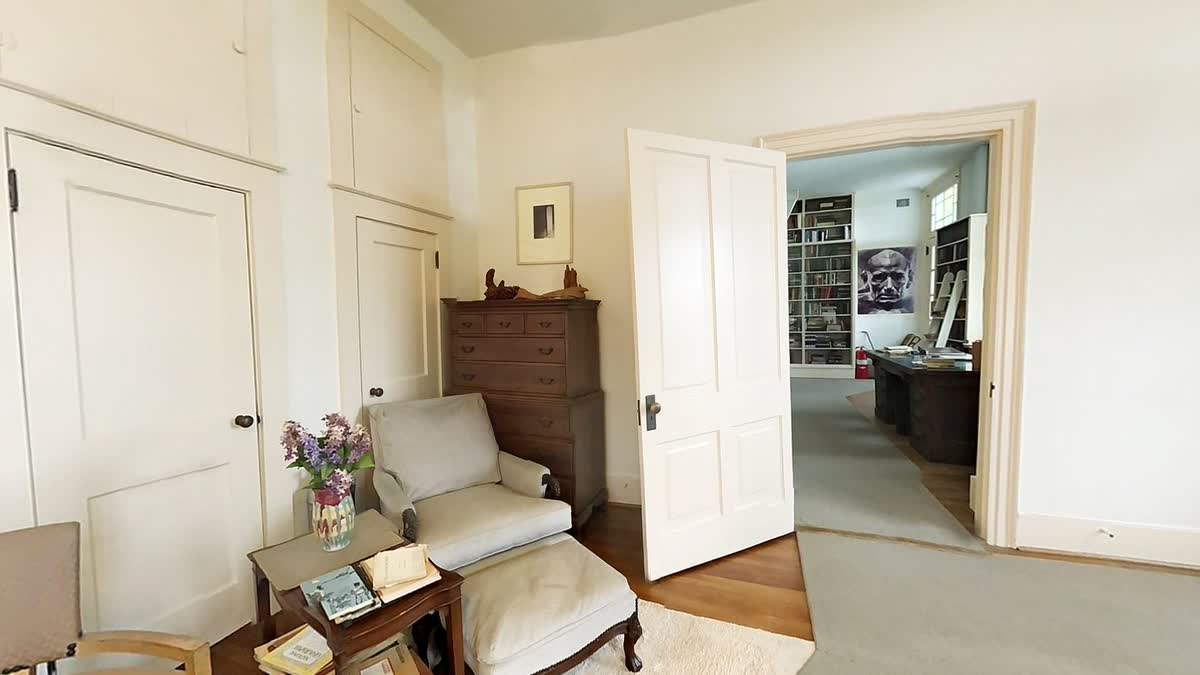
Walk through a demo tour built with Mirame360: click the hotspots to move between rooms.
Frequently asked questions
What do I need to create a 360° virtual tour?
A 360° photo of each room or area, taken with a 360° camera such as an Insta360, Ricoh Theta or GoPro Max, or with a phone app that exports equirectangular images. Mirame360 turns the photos into a tour you can link and embed.
Can I embed the tour on my website or listing?
Yes. Every tour has an embed code (an iframe) that works on most websites and CMSs, including WordPress, plus a direct link you can send or post.
Can I keep a tour private?
Yes. A tour can stay unlisted while you work on it, be protected with a password, or expire on a date you choose.
Does it work on phones?
Yes. Visitors look around by dragging or swiping in the browser, without installing an app.
How much does it cost?
Mirame360 is free during the beta, until December 31, 2026. See the pricing page for the plans that follow.
Learn more
Let them walk through every room.
Free during the beta. Your media stays private until you decide to share it.