
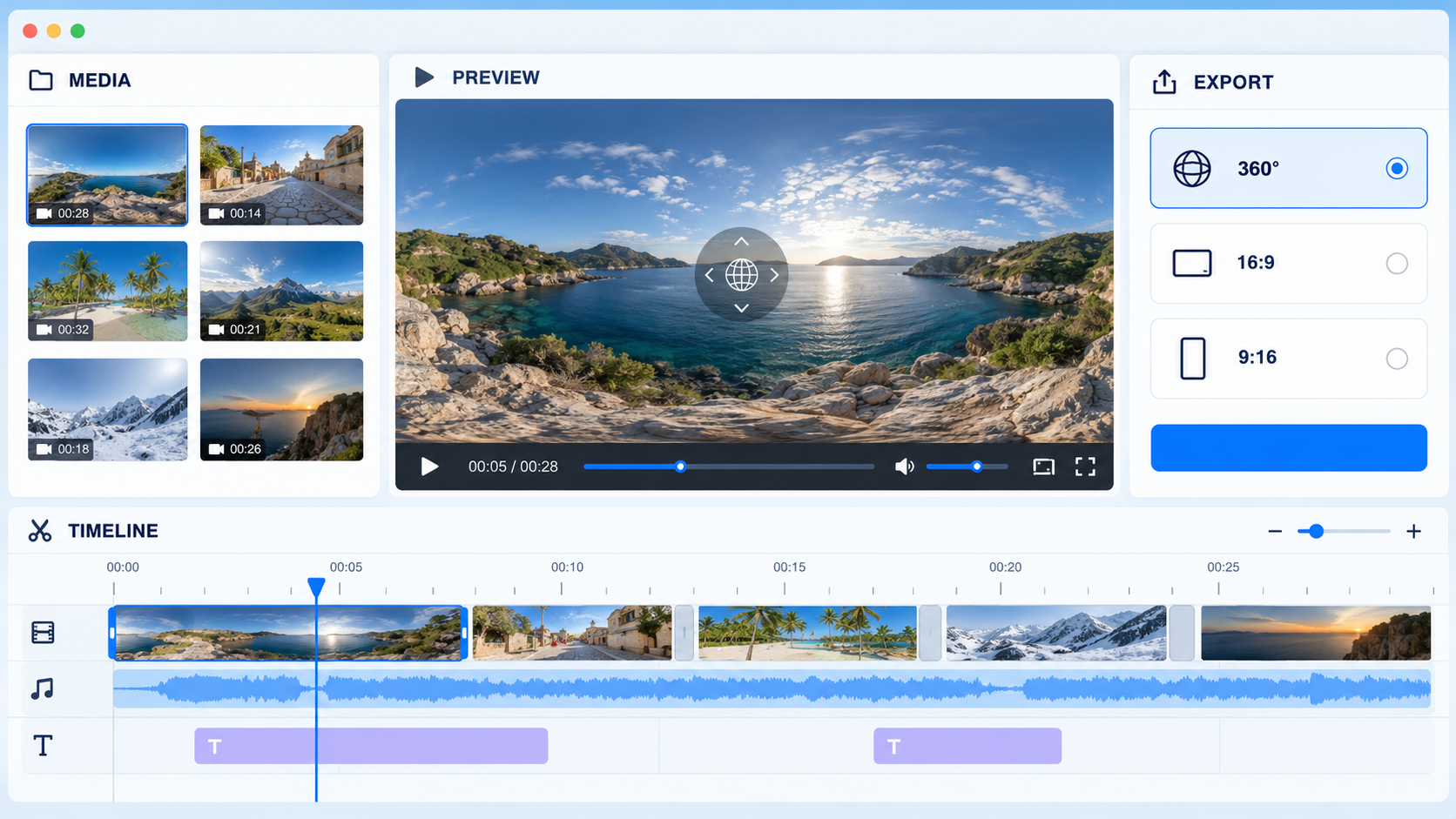
Imagine you have five minutes before sharing a weekend trip. You can place two stitched videos on one timeline, trim the quiet parts, add a crossfade, point the camera toward the view you want, and export a finished 360° video. You do not need an account, and your videos do not need to be uploaded for editing.
Shape the story
The new free Mirame360 360° Video Editor lets you cut, split, reorder and trim clips from several videos on one timeline. Crossfade transitions include audio, so changes between clips feel natural.
You can also add up to four extra audio tracks for music or voice-over. Each track has volume and fade handles, giving you a simple way to balance the sound.
If you want to guide viewers through a scene, place titles on the sphere. The text stays attached to the panorama as people look around.
Choose the view
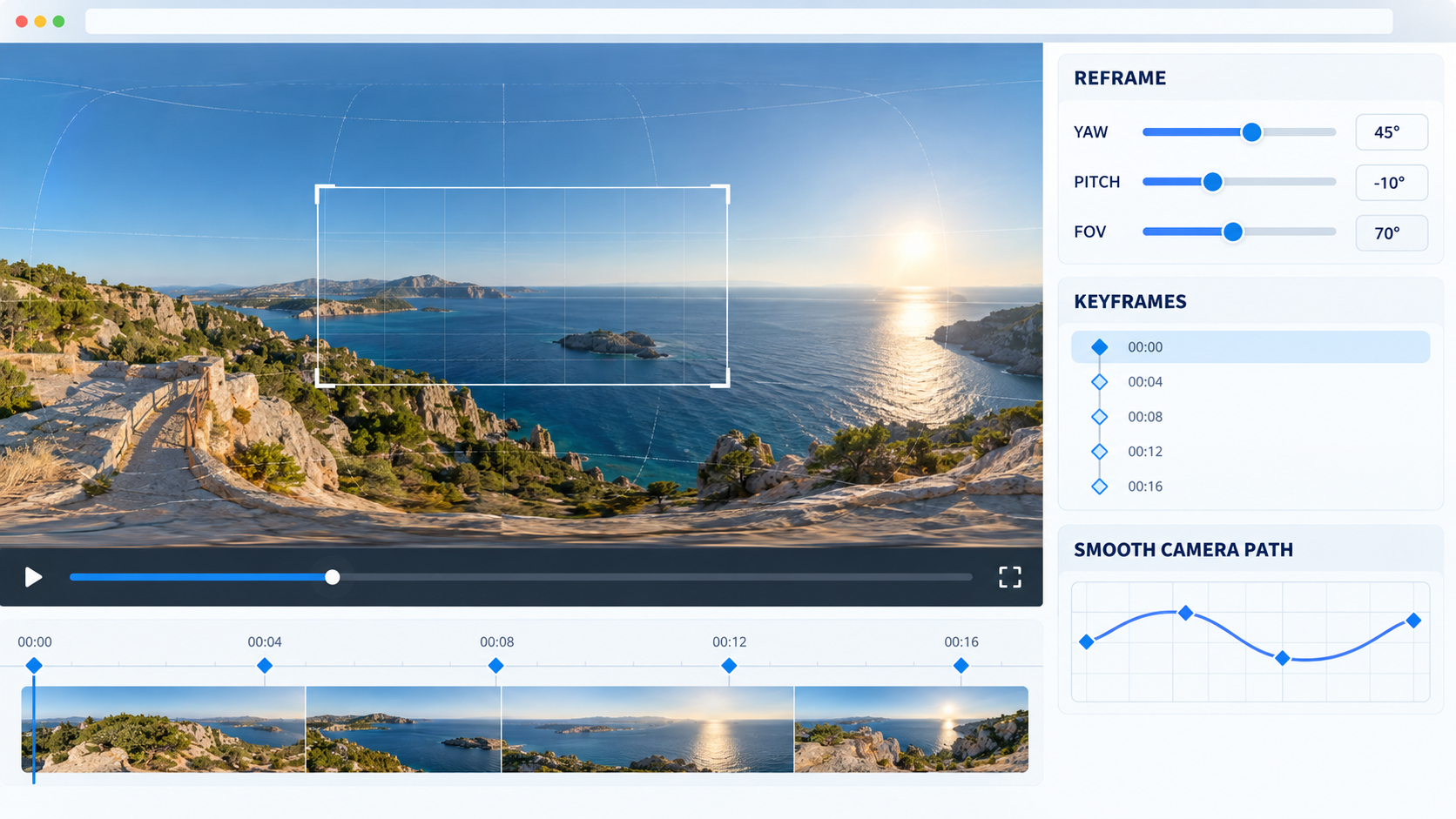
A 360° recording contains more of the scene than most viewers need to see at once. With keyframes, you can point the camera where you want throughout the video. Optional smoothing helps soften a shaky camera path.
When the story works better as a regular video, export a flat 16:9 version or a vertical 9:16 version for social media. You can also keep the full 360° sphere and export it at 2K, 1080p or 4K. The 360° export includes the metadata that players use to recognise it as an interactive video.
How it connects to Mirame360
The editor works with stitched MP4 sources. If you have a raw camera file such as .insv, .360 or .osv, upload it to Mirame360 first. We stitch it for you, then you can open the processed video and choose Edit in 360 video editor.
With a Mirame360 account, exporting to Mirame360 uploads the result as a private video. We check first that it fits your available storage. From any of your processed videos, you can also choose Edit in the 360 video editor. Publishing creates a new video, so your existing video remains available.
What to know first
The editor runs entirely in your browser, so it depends on your browser being able to decode the video codec. Each clip can be up to 30 minutes and 8K. It is best on a desktop computer using Chrome or Edge. Firefox works too, while Safari is not fully tested. It is not designed for phones.
Large exports are written directly to disk. Chrome and Edge let you choose where to save the file, while Firefox and Safari provide a download.
A short interactive tour appears the first time you open the editor, and a guide button is available whenever you need it.
Try it and tell us what you think
Open the free 360° Video Editor and start with a short stitched MP4. The editor is free until 2027, and we would love to hear what you make and where it gets in your way. Your feedback will help us decide what to improve next.
If you are working on photos too, our free 360° Photo Editor includes retouching, colour adjustments, nadir blur and graphics.