
consumer 360
Insta360 X5
X5 records INSV, INSP according to the linked manufacturer documentation. Raw dual-fisheye videos up to 2 GB can be uploaded directly to Mirame360 for automatic server-side stitching, or exported via Insta360 Studio for stabilization and larger files.
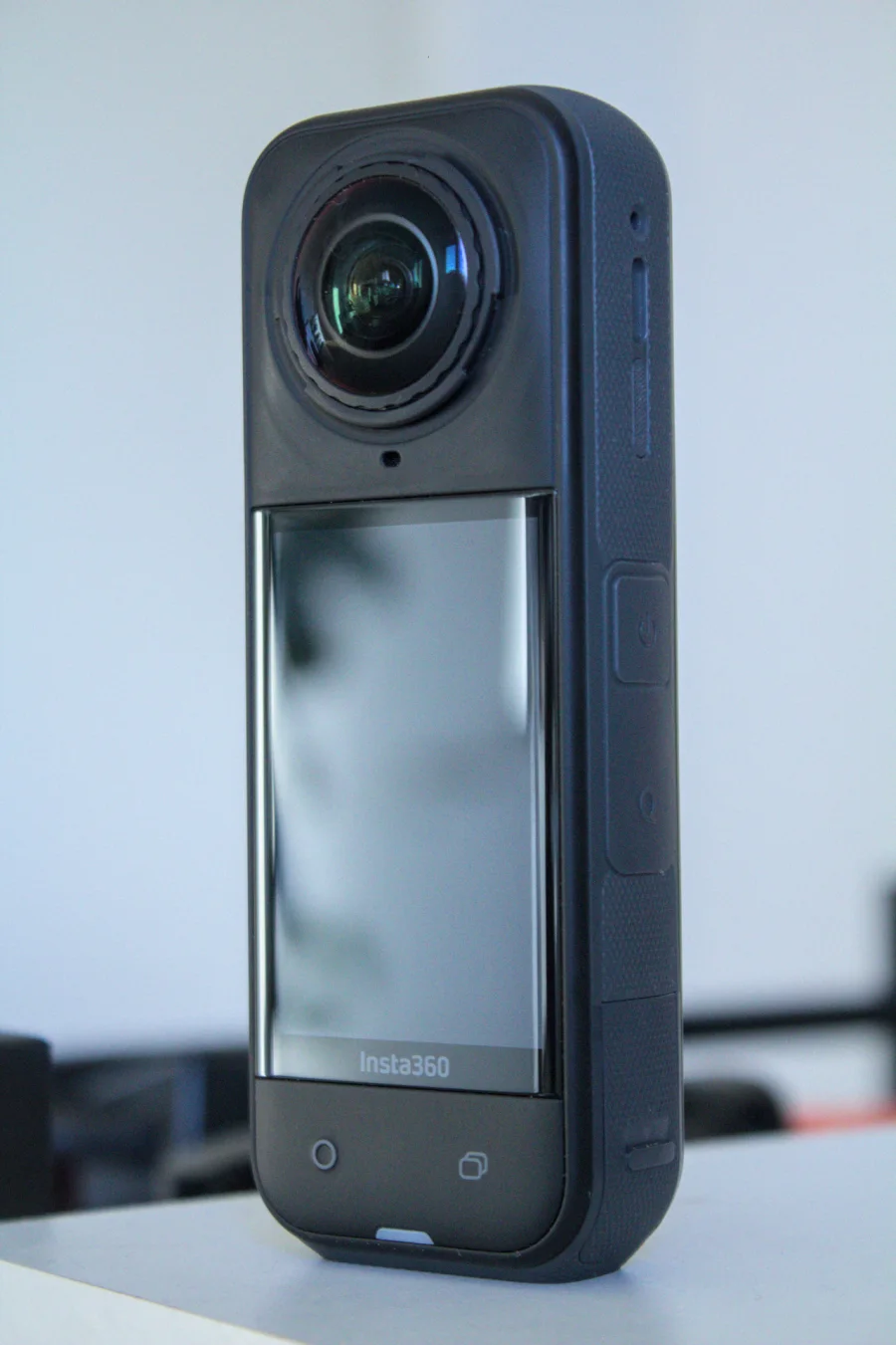
Technical record
| Manufacturer | Insta360 |
|---|---|
| Product status | Current |
| Release year | 2025 |
| Original formats | INSV, INSP |
| Companion files | 360 video is recorded as INSV and 360 photos as INSP; DNG is also supported for photos. Preserve the original capture files until the intended export is complete and do not substitute the flat single-lens MP4 workflow for a 360 export. |
Manufacturer data
Technical specifications
- Max video resolution
- 7680x3840
- Top frame rate
- 120 fps
- Video container
- INSV (360), MP4 (single-lens)
- Video codec
- H.264, H.265
- Audio
- AAC (48 kHz, 16-bit)
- Max photo
- 72 MP
- Photo formats
- INSP
- Sensor
- 1/1.28-inch · 2 sensors
- Display
- 2.5-inch touchscreen (440x696)
- Aperture
- f/2.0
- Replaceable lenses
- Yes
- Internal storage
- microSD only
- Microphones
- 2
- Spatial audio
- Yes
- Weight
- 200 g
- Waterproofing
- 15 m
- Battery
- 2400 mAh
- Rated runtime
- 93 min at 8K30 (208 min 5.7K24 Endurance)
Video modes
- 7680x3840 · 24, 25, 30 fps
- 5760x2880 · 24, 25, 30, 48, 50, 60 fps
- 3840x1920 · 24, 25, 30, 48, 50, 60, 100, 120 fps
Photo modes
- 11904x5952 · 72 MP · INSP
- 5888x2944 · 18 MP · INSP
Native formats
INSV, INSP, MP4
Workflow
FlowState Stabilization; 360 Horizon Lock · In-camera stitching: no
Evidence and sources
Native source formats
360° video is recorded as INSV; single-lens video is MP4. Photos use INSP and support DNG.
manufacturer-declared · verified 2026-08-19 · Source
360 capture and export
The product page specifies 360 video up to 7680×3840 at 30 fps and identifies Insta360 app reframing plus Insta360 Studio desktop editing as the 360 workflow.
manufacturer-declared · verified 2026-08-19 · Source
Documented workflow
Transfer INSV originals with the Insta360 app or Studio. Reframe or export the 360 capture to the intended equirectangular delivery file before upload; InstaFrame 2.0 can also produce a flat 4K video directly in camera, which is a different delivery workflow. Mirame360 also accepts raw .insv, .osv, and .360 video uploads up to 2 GB for automatic server-side stitching (direct .insv/.osv server stitching does not apply gyro stabilization; export from desktop/app for stabilization, >2 GB videos, or .insp/.dng/.36p photos).
Official resources
Community and discussion
- Insta360 subreddit (community lead, not definitive evidence)
Independent video reviews
- Insta360 X5: The HONEST review you’ve been waiting for… — Ben Claremont, 2025-05-16. A detailed independent review with chapters covering sensor and resolution choices, stitching, overheating, photo output and workflow. The description discloses affiliate links, so it is editorial context rather than specification evidence.
- Is the Insta360 X5 Worth It? An Unsponsored Review — Jake Sloan, 2025-07-30. A hands-on review from varied outdoor conditions that discusses dynamic range, replaceable lenses and tracking. The creator describes the review as unsponsored while also disclosing affiliate links.
Compare with another camera
Related guides & in-depth reviews
Shooting with Insta360 X5?
Mirame360 accepts equirectangular 2:1 photos and videos—and auto-stitches raw .insv, .osv, and .360 files up to 2 GB—so you can share interactive 360° links, build virtual tours, and embed on any website for free.